
Connect via Tinfoil Proxy
Most coding agents talk to a configurable OpenAI-compatible base URL. That's all Tinfoil needs to slot in.
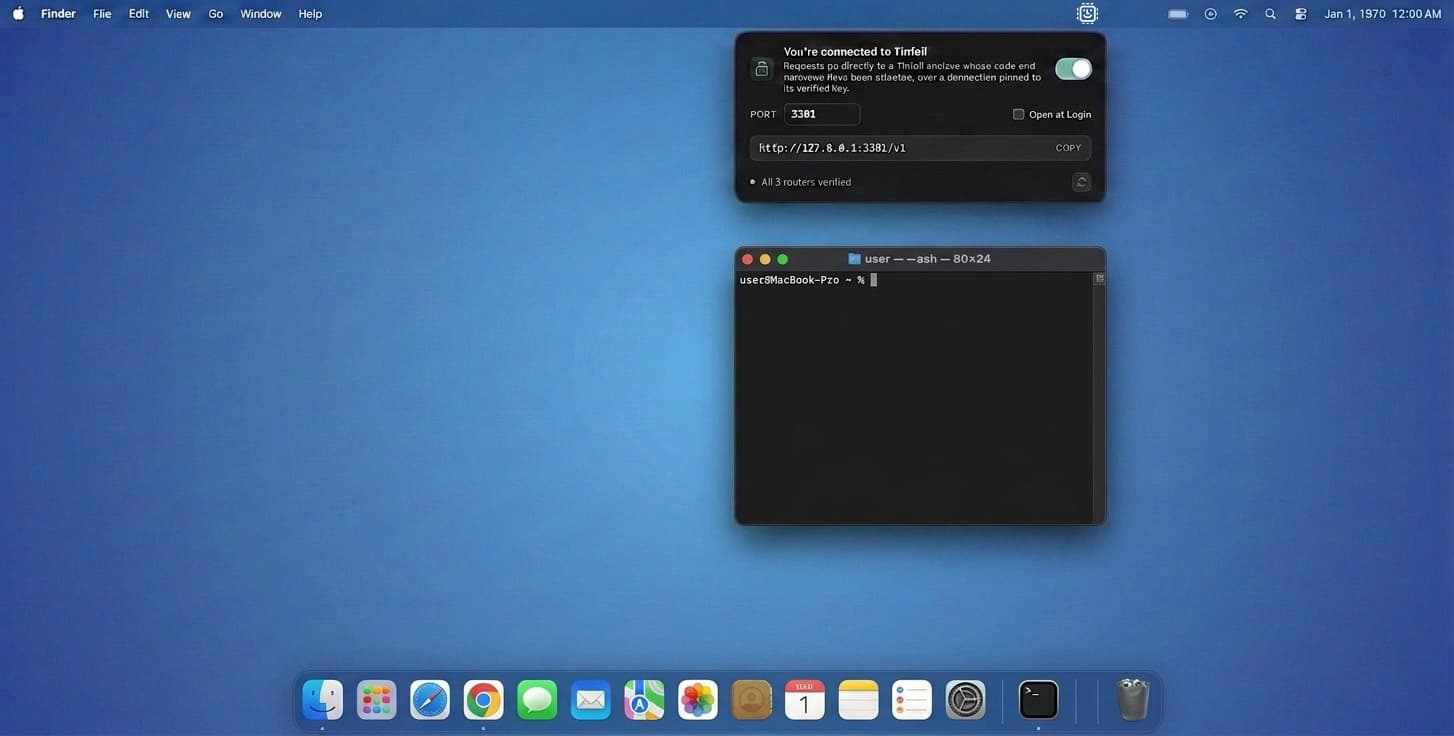
To ensure each connection is attested and the privacy is verified by your client, you need to run a Tinfoil proxy. Below we set up a local proxy that automatically verifies the attestation for all inference requests issued to Tinfoil.
Recommended for your device: macOS (DMG)
Install the local proxy
Install the Tinfoil Proxy menu-bar app or the standalone CLI binary. Either way you get the same
http://127.0.0.1:3301/v1endpoint with identical attestation; pick the menu-bar app for desktop use and the CLI for scripts, CI, or headless servers.Point the agent at Tinfoil
Configure your coding agent with:
Setting Value Base URL http://127.0.0.1:3301/v1API key Your Tinfoil API key from the Tinfoil Dashboard Model A model ID from the chat model catalog Verify the connection
With the menu-bar app, open the Tinfoil popup and confirm the lock is green. With the CLI, watch the logs for the verification success line on startup.
Configure your coding agent
Pick your agent to see the exact setup. Each one points at the same local proxy endpoint, so attestation is verified on every request.
OpenCode is a terminal-based coding agent that talks to any provider exposed via the AI SDK. It plugs into Tinfoil through the @ai-sdk/openai-compatibleadapter — see OpenCode's Providers and Config docs for the full schema.
Add Tinfoil as a custom provider in opencode.json (project root or ~/.config/opencode/opencode.json):
{
  "$schema": "https://opencode.ai/config.json",
  "provider": {
    "tinfoil": {
      "npm": "@ai-sdk/openai-compatible",
      "name": "Tinfoil",
      "options": {
        "baseURL": "http://127.0.0.1:3301/v1",
        "apiKey": "tk_xxxx"
      },
      "models": {
        "kimi-k2-6": {
          "name": "Kimi K2.6",
          "limit": { "context": 200000, "output": 65536 }
        },
        "gemma4-31b": {
          "name": "Gemma 4 31B",
          "limit": { "context": 128000, "output": 32768 }
        }
      }
    }
  }
}
Paste your Tinfoil API key directly into the apiKeyfield, then pick the Tinfoil provider in OpenCode's /models selector and start coding.
A note on privacy
OpenCode is open-source and runs locally on your machine. Its Enterprise docs state:
OpenCode does not store your code or context data. All processing happens locally or through direct API calls to your AI provider.
With the Tinfoil provider configured, those direct calls go to the local proxy and into the enclave. The exception OpenCode flags is the optional /sharefeature, which uploads the active conversation to opencode.ai's CDN — leave it off (or set "share": "disabled" in opencode.json) to keep everything on-device.
Factory Droid is a terminal-native coding agent that supports custom OpenAI-compatible providers through its Bring Your Own Key configuration.
Install the Droid CLI
Follow the Droid CLI quickstart to install
droidand sign in.Add Tinfoil as a custom model
Add a
customModelsentry to~/.factory/settings.json:{ "customModels": [ { "model": "kimi-k2-6", "displayName": "Kimi K2.6 (Tinfoil)", "baseUrl": "http://127.0.0.1:3301/v1", "apiKey": "tk_xxxx", "provider": "generic-chat-completion-api", "maxOutputTokens": 65536 } ] }Paste your Tinfoil API key directly into the
apiKeyfield. Thegeneric-chat-completion-apiprovider speaks OpenAI Chat Completions, which is whattinfoil-proxyexposes on:3301/v1. Duplicate the block to add more models from the chat model catalog — setmodelto the model ID (e.g.gemma4-31b,deepseek-v4-pro) and pick a friendlydisplayName.Select the model in Droid
Open the Droid CLI and run
/model. Your Tinfoil entries appear under Custom models — pick one and start prompting. Switch back at any time with/model.
A note on privacy
With a custom model pointing at the local Tinfoil proxy, Droid sends LLM traffic from your machine to the Tinfoil enclave. Factory's Privacy, Data Flows & Governance docs cover customer-configured endpoints:
LLM traffic is handled entirely by your providers and gateways; Factory does not see it.
The BYOK Overview adds:
Your API keys remain local and are not uploaded to Factory servers.
The Droid CLI still talks to Factory's cloud for orchestration, and may emit OpenTelemetry signals unless you point them at your own collector or disable analytics.
Hermes Agent is a self-improving AI assistant from Nous Research. See Hermes' hermes model reference for the full provider wizard.
Install Hermes, then run the interactive model picker from your terminal (not from inside a Hermes chat — /modelcan only switch between providers you've already configured):
hermes modelHighlight Custom endpoint and press Enter. Provide:
| Setting | Value |
|---|---|
| Base URL | http://127.0.0.1:3301/v1 |
| API key | Your Tinfoil API key from the Tinfoil Dashboard |
| Model name | A model ID like kimi-k2-6 or gemma4-31b (see the chat model catalog) |
Enter base URL: http://127.0.0.1:3301/v1
Enter API key (or press Enter to skip): <your-tinfoil-api-key>
Enter model name: kimi-k2-6

Configuration saved to ~/.hermes/config.yaml
Confirm everything is wired up:
$ hermes doctor
✓ Config file exists
✓ Dependencies installed
✓ API connection successful
✓ Model kimi-k2-6 is accessible
A note on privacy
Hermes is MIT-licensed and runs entirely on your machine. The Hermes FAQ states:
API calls go only to the LLM provider you configure (e.g., OpenRouter, your local Ollama instance). Hermes Agent does not collect telemetry, usage data, or analytics. Your conversations, memory, and skills are stored locally in ~/.hermes/.With the custom endpoint pointed at the Tinfoil proxy, requests go from Hermes to the local proxy and into the enclave.
Kilo Code is an open-source coding agent for VS Code, JetBrains, the CLI, and cloud workflows. Its OpenAI-compatible provider docs support custom base URLs and API keys.
Install the extension
Install Kilo Code from the VS Code Marketplace.
Configure Tinfoil
Open the Kilo Code sidebar, click the Kilo settings gear, then open the provider settings. Do not use VS Code's global Settings search (
@ext:kilocode.kilo-code); Kilo keeps provider setup inside its own webview. Under Custom provider, click Connect and configure:Setting Value Provider type OpenAI CompatibleDisplay name TinfoilBase URL http://127.0.0.1:3301/v1API Key Your Tinfoil API key Model kimi-k2-6or another ID from the chat model catalogUse the
/v1base URL, not the full/chat/completionsendpoint. If Custom provider is not visible, update the Kilo Code extension.Start coding
Select the Tinfoil model in Kilo Code and start a task. Requests for that model route through the local proxy and into the enclave.
A note on privacy
With Tinfoil configured as an OpenAI-compatible provider, inference requests for that model are pointed at the local proxy. Kilo may still use its own services for account, product, or hosted-model features; see Kilo's privacy policy.
Cline is a VS Code coding agent with a built-in OpenAI Compatible provider. It is a good fallback when you want a simple settings UI for a custom base URL.
Install the extension
Open VS Code, search for Cline in the Extensions sidebar, install it, and reload when prompted.
Configure Tinfoil
Open Cline settings, choose OpenAI Compatible as the API Provider, and enter:
Setting Value Base URL http://127.0.0.1:3301/v1API Key Your Tinfoil API key Model ID glm-5-2or another ID from the chat model catalogUse the
/v1base URL, not the full/chat/completionsendpoint.Verify and start coding
Click Verify if Cline offers it, then start a task. Requests for that model route through the local proxy and into the enclave.
A note on privacy
With Tinfoil configured as Cline's OpenAI-compatible provider, inference requests for that model are pointed at the local proxy. Cline's extension runs in VS Code; review Cline's privacy notice for any product analytics or account features you enable.
Pi is a minimal terminal-based coding agent with a package system for extensions. The @tinfoilsh/pi-provider extension adds Tinfoil's private models to pi, with enclave verification built in.
Install pi and the Tinfoil provider
Install pi, then add the Tinfoil provider package:
pi install npm:@tinfoilsh/pi-providerLog in with your Tinfoil API key
Start pi and run
/login tinfoil, then paste your Tinfoil API key from the Tinfoil Dashboard. For headless workflows, set theTINFOIL_API_KEYenvironment variable.Pick a model and verify
Run
/modelto pick a model from the chat model catalog. Run/tinfoilat any time to re-run verification from scratch and print the verification document.
A note on privacy
Private communication with the enclave only applies while a Tinfoil model is active. If you switch to another provider's model mid-session with /model, that provider will receive the entire conversation.
Pi extensions run with your full permissions and see your conversations, so a malicious or careless extension can send chat data anywhere. Only install extensions you trust.
Pi itself collects version-only telemetry data for updates. You can turn it off by setting the environment variable PI_TELEMETRY=0 or disable startup network operations entirely with PI_OFFLINE=1.
omp is a terminal-based coding agent featuring an LSP, a debugger, and subagents. The @tinfoilsh/omp-provider plugin adds Tinfoil's private models to omp and verifies the enclave on every session.
Install omp and the Tinfoil provider
Install omp, then add the Tinfoil provider plugin:
omp plugin install @tinfoilsh/omp-providerLog in with your Tinfoil API key
Start omp and run
/login, pick Tinfoil, then paste your API key from the Tinfoil Dashboard. For headless workflows, set theTINFOIL_API_KEYenvironment variable instead.Pick a model and verify
Run
/modelto pick a model from the chat model catalog. A line below the editor shows the verification state while a Tinfoil model is active. Run/tinfoilat any time to re-run verification from scratch and print the verification document.
A note on privacy
Private communication with the enclave only applies while a Tinfoil model is active. If you switch to another provider's model mid-session with /model, that provider will receive the entire conversation.
omp extensions run in the same process as the agent, with your full permissions, and they see your conversations. Only install extensions you trust.
Setting PI_REQ_DEBUG=1 makes omp write every request body to disk, including your prompts and your API key, before this plugin encrypts them. The plugin refuses to send requests while that variable is set.